How it works
Agencies post the job. You quote it.
A federal agency posts a job on SAM.gov with a date quotes are due. You read it, and if it fits, you send a price. Small businesses get first call on most of it. Between the posting and your price are eleven steps: six are Mandra’s, and five are yours, the five that commit your business to anything.
Never bid on federal work? Start with the three steps, then come back to the loop.
The same loop every morning
Step 1
Mandra
The morning pull
Every new federal contract notice published on SAM.gov, nationwide, pulled overnight. Not a search you saved; the whole day’s feed.
Step 2
Mandra
Your profile filters it
The set-asides your business holds, the NAICS and PSC codes you work under, the states where you take work, the largest contract you will bid. What fits is on your list. A notice with no stated place of performance, or one spread across several states, is shown to everybody — an unknown is not a reason to hide work from you.
Step 3
You
The unread list
You open the laptop and the day is already sorted. Titles, agencies, deadlines, set-aside, where the work is, and how many days are left. Enough to throw most of them out without reading anything.
Step 4
You ask, Mandra reads
Read it
One button. Mandra downloads the attachments the contracting officer posted and reads them. One notice is one read, all attachments included, however many there are. The cost is on the screen before you press it.
Step 5
Mandra
Our read, and the requirements
Scope, value, bonding, self-performance, site visit, Q&A cutoff, submission method, required forms, page limits, evaluation criteria, contracting officer. Then the checklist of what the notice requires of you. Then the panel saying what the model was unsure about.
Step 6
You
Pursue or skip Human gate
The first gate. Skip it and Mandra keeps your reason and does nothing else. Pursue it and the rest of the workflow opens. Mandra does not decide this, and it does not nudge.
Step 7
Mandra finds, you judge
Subcontractors
A shortlist of firms local to where the work is performed, in the trade you name. Firms listed as SDVOSB or VOSB are surfaced where that matters, because a similarly situated sub counts toward your own self-performance share. Contact details are looked up from the firm’s own website, on request. Where a detail is not found, it says not found. It is never invented.
Step 8
Mandra drafts, you send
Outreach
An email and a call script per firm, written for this notice: a mandatory site visit asks the sub to attend and confirm, a drawings-only job asks for a price off the documents. Both carry the quote link. There is a copy button and nothing else. Mandra has no mail server and no phone.
Step 9
You send it, the sub fills it in
The quote link
One link per sub per notice. They open it on a phone, see the scope, the place, the site visit and their deadline, and put in a number, what it covers, what it excludes, how long it stands and whether they will attend. They can attach files. They see nothing else — not your price, not the other subs. The link expires when the solicitation closes and you can revoke it sooner.
Step 10
You set it, Mandra computes
The price
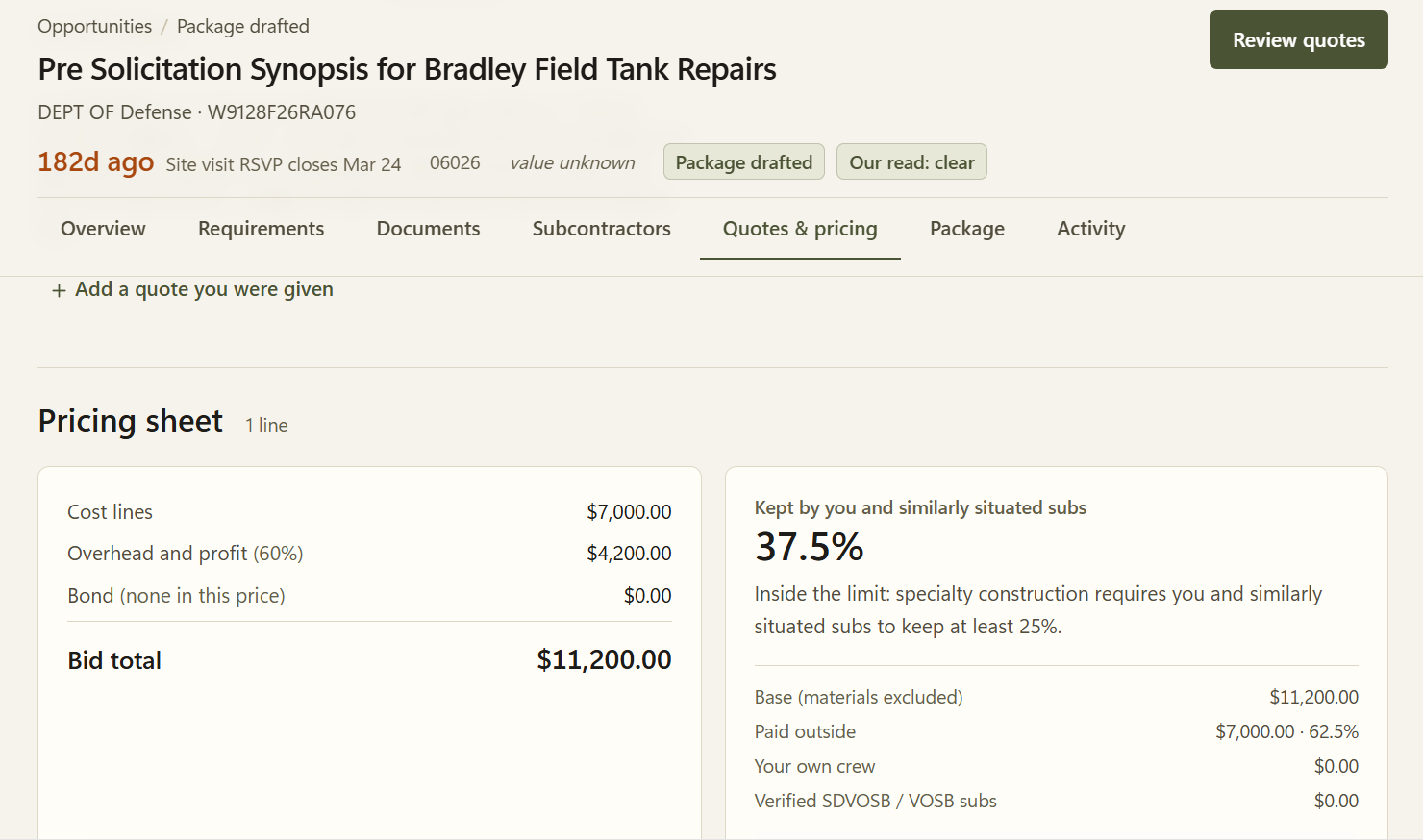
The quotes, your own costs, markup, bond. Mandra keeps the self-performance percentage in front of you as the numbers move, with the materials exclusion applied. What the percentage has to be is a matter of the clause in your solicitation; what it currently is, is arithmetic, and that part is ours.
Step 11
You
Approve, then submit Human gate
The second gate. You approve, and only then is the package marked ready. Mandra generates the documents. You submit them, in whichever portal this solicitation names. Mandra has no account on any of them.
What the AI does, and does not
Does
- Opens the attachments, reads them, and puts what they say into typed fields
- Searches the web for subcontractors in a trade and a place
- Drafts an email you have not sent
Does not
- Decide anything
- Check that a firm’s certification is real
- Check that a price is right
- Contact anybody
- Submit anything
It has no tools that take actions. The read is a read.
And it tells you where it is unsure.
Every read carries a panel listing the attachments it could not open, the ones it read only in part, the fields the documents never answered, and anything in a document that looked like an instruction aimed at the model. You are meant to read the solicitation. Mandra is meant to save you from reading the forty that were not worth it.
Amendments
A solicitation that is amended does not overwrite the one you were working on.
The new version arrives as its own, the chain is kept in date order, and if you had already pursued the old one your row stays where it is with a badge saying it has been amended since. Re-reading after an amendment costs nothing.
One profile, then a list every morning.
7 days free with three reads. Card required at signup, charged on day 8. Reminder email on day 5. Cancel any time.